

What is Cua?
Learn about Cua, the open-source platform for building computer-use agents
Cua is an open-source platform for building, benchmarking, and deploying agents that can use any computer, with isolated, self-hostable sandboxes (Docker, QEMU, Apple Vz).
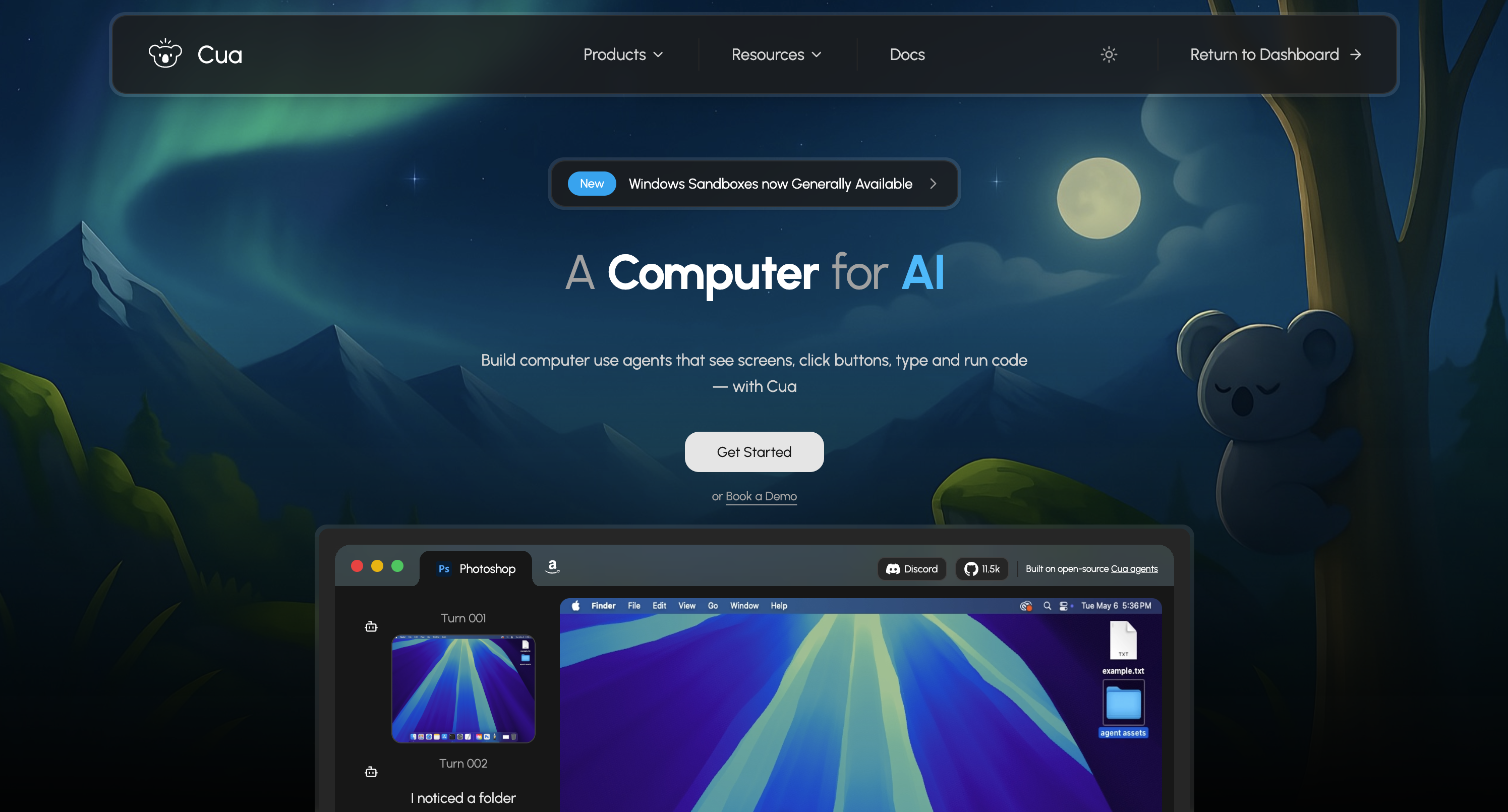
The Cua Stack
Cua consists of three main components:
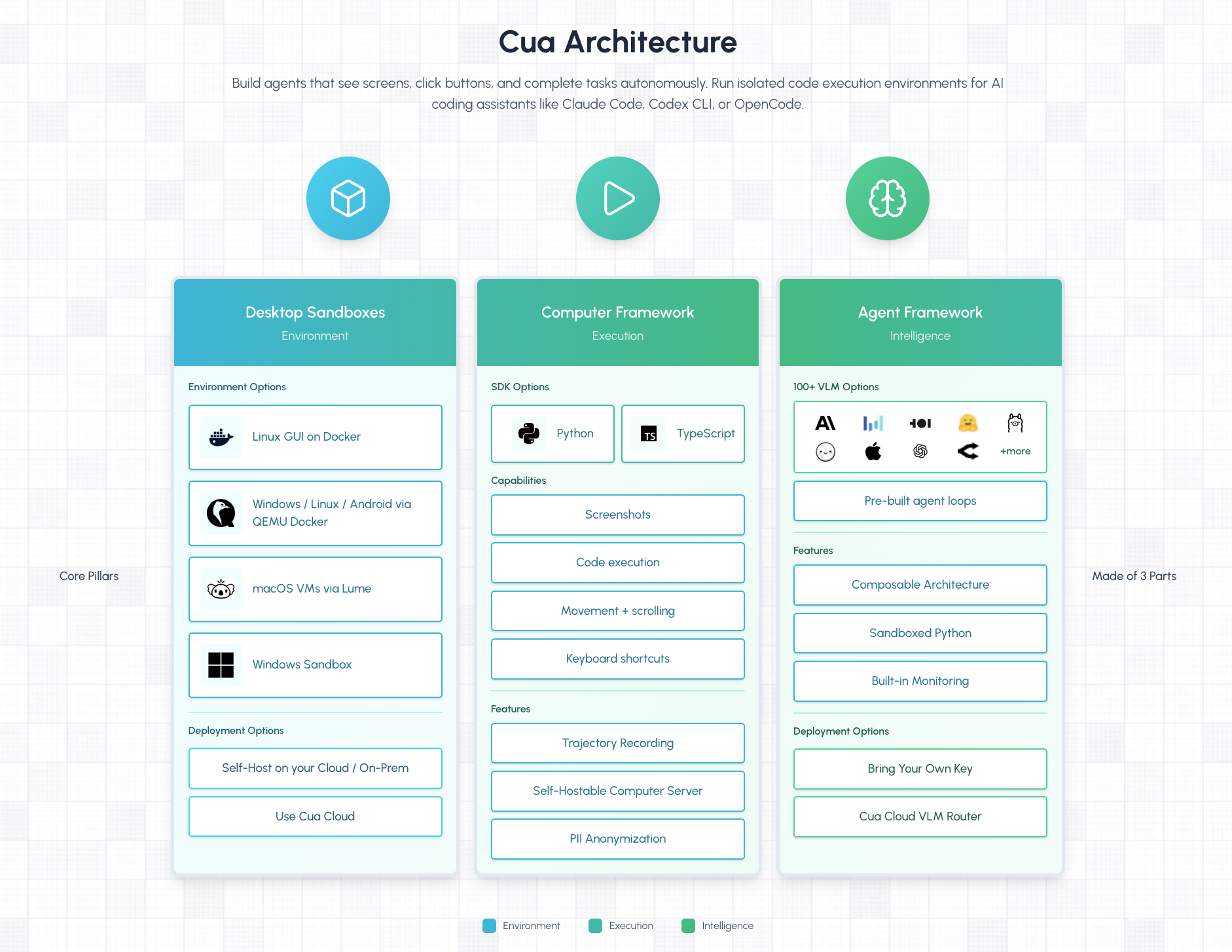
1. Desktop Sandboxes
Isolated virtual environments where your agents can safely execute tasks:
- Cloud Sandboxes - Managed Linux, Windows, and macOS environments hosted by Cua
- Local Sandboxes - Docker containers, QEMU VMs, macOS VMs via Lume, or Windows Sandbox on your own machine
2. Computer Framework
A unified SDK for controlling desktop environments programmatically:
- Take screenshots and observe the screen
- Simulate mouse clicks, movements, and scrolling
- Type text and press keyboard shortcuts
- Run code and shell commands
- Works identically across all sandbox types
3. Agent Framework
Build agents that see screens, click buttons, and complete tasks autonomously:
- 100+ vision-language model options through Cua VLM Router or direct provider access
- Pre-built agent loops optimized for computer-use tasks
- Composable architecture for combining grounding and planning models
- Built-in telemetry for monitoring agent performance
How Computer-Use Agents Work
Computer-use agents operate through a continuous loop:
┌─────────────────────────────────────────┐
│  1. OBSERVE                             │
│     Take a screenshot of the screen     │
└──────────────────┬──────────────────────┘
                   │
                   ▼
┌─────────────────────────────────────────┐
│  2. UNDERSTAND                          │
│     Vision-language model analyzes      │
│     the screenshot and current goal     │
└──────────────────┬──────────────────────┘
                   │
                   ▼
┌─────────────────────────────────────────┐
│  3. DECIDE                              │
│     Determine the next action:          │
│     click, type, scroll, etc.           │
└──────────────────┬──────────────────────┘
                   │
                   ▼
┌─────────────────────────────────────────┐
│  4. ACT                                 │
│     Execute the action on the computer  │
└──────────────────┬──────────────────────┘
                   │
                   ▼
              Loop back to 1
This cycle repeats until the agent completes its goal or determines it cannot proceed.
Sandbox Options
| Sandbox Type | OS Support | Best For | API Key Required |
|---|---|---|---|
| Cloud | Linux, Windows, macOS | Production, teams, CI/CD | Yes |
| Docker | Linux | Local development | No |
| QEMU Docker | Linux, Windows, Android | Testing specific OS versions | No |
| Lume (macOS) | macOS | macOS automation | No |
| Windows Sandbox | Windows | Windows automation | No |
Why Cua?
- Secure execution - Run AI coding assistants and computer-use agents in sandboxed environments
- Self-hostable - Deploy locally with Docker, QEMU, or Apple Virtualization
- Cross-platform - Same API across Linux, Windows, and macOS sandboxes
- Visual understanding - Agents see screens, adapt to UI changes, and complete complex tasks
Use Cases
- AI coding assistants - Isolated code execution environments for Claude Code, Codex CLI, OpenCode, and other AI coding tools
- Computer-use agents - Build agents that interact with any desktop application autonomously
- Workflow automation - Automate repetitive tasks across any application
- Testing - Run end-to-end tests that interact with real UIs
- Benchmarks - Evaluate agents on OSWorld, ScreenSpot, and other standardized tasks
- Research - Build, evaluate, and train computer-use AI agents
Getting Started
Ready to build your first agent? Continue to the Quickstart to get a computer-use agent running.
Was this page helpful?